🔍 What is a LAMP Stack?
LAMP is a widely used open-source web development stack that provides the foundation to run dynamic websites and web applications. It consists of four key components, each representing a layer of the stack:
| Letter | Component | Description |
|---|---|---|
| L | Linux | The operating system (OS) layer. It provides the base platform for all the other components. Popular distributions include Ubuntu, AlmaLinux, Debian, CentOS, etc. |
| A | Apache | The web server that handles HTTP requests and serves content (like HTML, PHP) to users via browsers. |
| M | MariaDB / MySQL | The database management system (DBMS) that stores and retrieves application data efficiently. In this KB, we use MariaDB, a drop-in replacement for MySQL. |
| P | PHP | The server-side scripting language that processes dynamic content, communicates with the database, and generates HTML for browsers. |
Why use LAMP?
- Open-source and free
- Easy to set up
- Highly customizable
- Large community support
- Widely supported by hosting providers and CMS platforms (WordPress, Joomla, etc.)
LAMP Stack Use Cases
- Hosting content management systems like WordPress, Drupal, or Joomla
- Developing web applications using Laravel, CodeIgniter, or Symfony
- Building internal tools or dashboards for businesses
- Prototyping or launching full-scale web products
Prerequisites
- Root or sudo access.
- Clean AlmaLinux 8+.
- Access to the internet.
Steps to LAMP Installation on AlmaLinux
1. Update the System
# sudo dnf update -y
2. Install Apache Web Server
# sudo dnf install httpd -y
# sudo  systemctl  enable  httpd  --now
3. Install and Start Firewalld (if not already installed)
# sudo firewall-cmd  --permanent  --add-service=http
# sudo  firewall-cmd  --reload
# sudo  firewall-cmd  --list-all
4. Install PHP 8.3 and Common Extensions
# sudo dnf install epel-release -y
# sudo dnf install https://rpms.remirepo.net/enterprise/remi-release-9.rpm -y
# sudo dnf module reset php -y
# sudo dnf module enable php:remi-8.3 -y
# sudo dnf install php php-cli php-common php-mysqlnd php-fpm php-gd php-opcache php-mbstring php-xml -y
5. Install MariaDB 11.4 LTS
# curl -LsS https://r.mariadb.com/downloads/mariadb_repo_setup | sudo bash -s -- --mariadb-server-version=11.4
# sudo dnf install MariaDB-server -y
# sudo systemctl enable mariadb --now
6. Secure MariaDB Installation
# sudo mysql_secure_installation
Follow the prompts to set the root password, remove anonymous users, disable remote root login, and remove test databases.
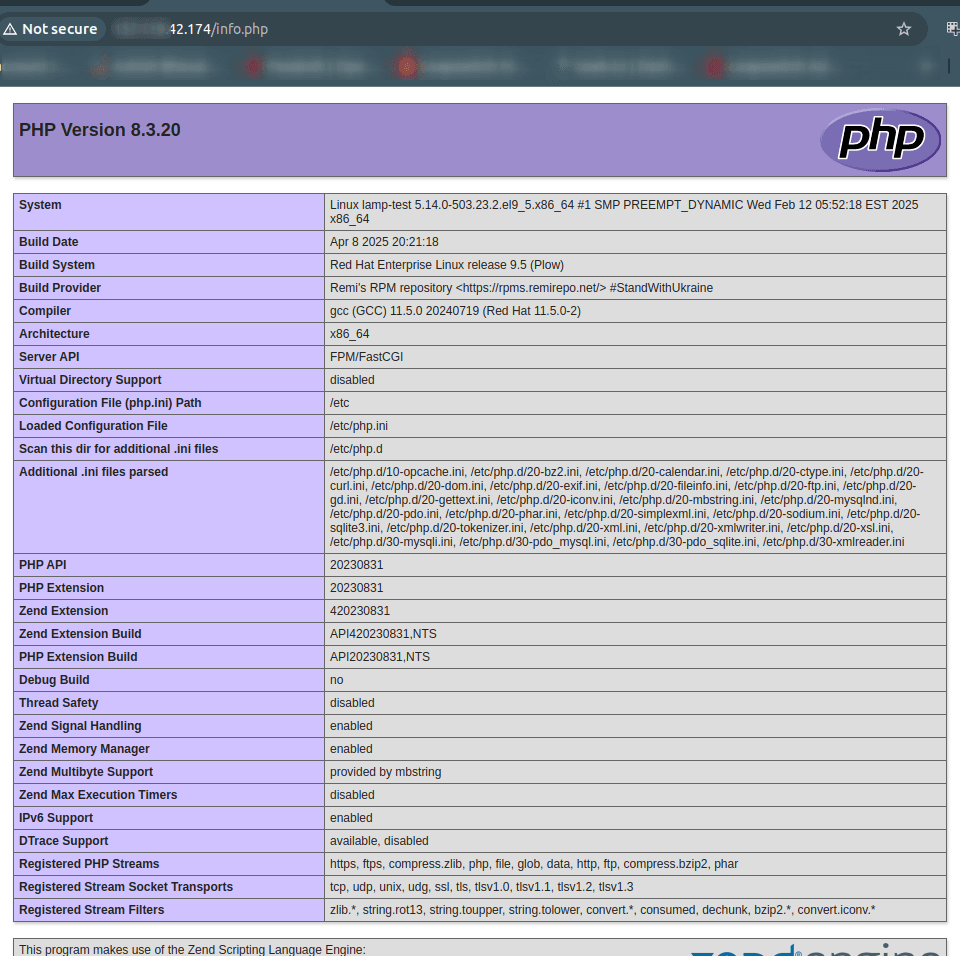
Testing PHP
Create a test file:
# cd /var/www/html
# vim info.php
<?php
phpinfo();
?>
Save the file.
Open your browser and navigate to:
http://your-server-ip/info.php
Upgrading PHP (If required)
# sudo dnf module reset php -y
# sudo dnf module enable php:remi-8.3 -y
# sudo dnf update -y
Installing phpMyAdmin
phpMyAdmin is not available directly via DNF on AlmaLinux, so we install it manually:
# cd /usr/share/
# sudo wget https://www.phpmyadmin.net/downloads/phpMyAdmin-latest-all-languages.tar.gz
# sudo tar -xvzf phpMyAdmin-latest-all-languages.tar.gz
# sudo mv phpMyAdmin--all-languages phpmyadmin
# sudo ln -s /usr/share/phpmyadmin /var/www/html/phpmyadmin
# sudo chown -R apache:apache /usr/share/phpmyadmin
Visit:
http://your-server-ip/phpmyadmin
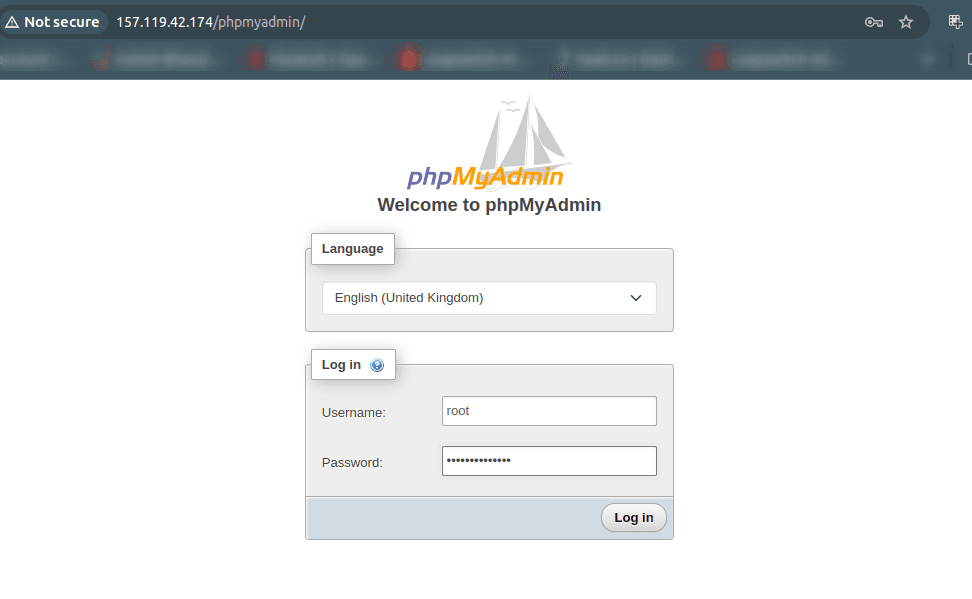
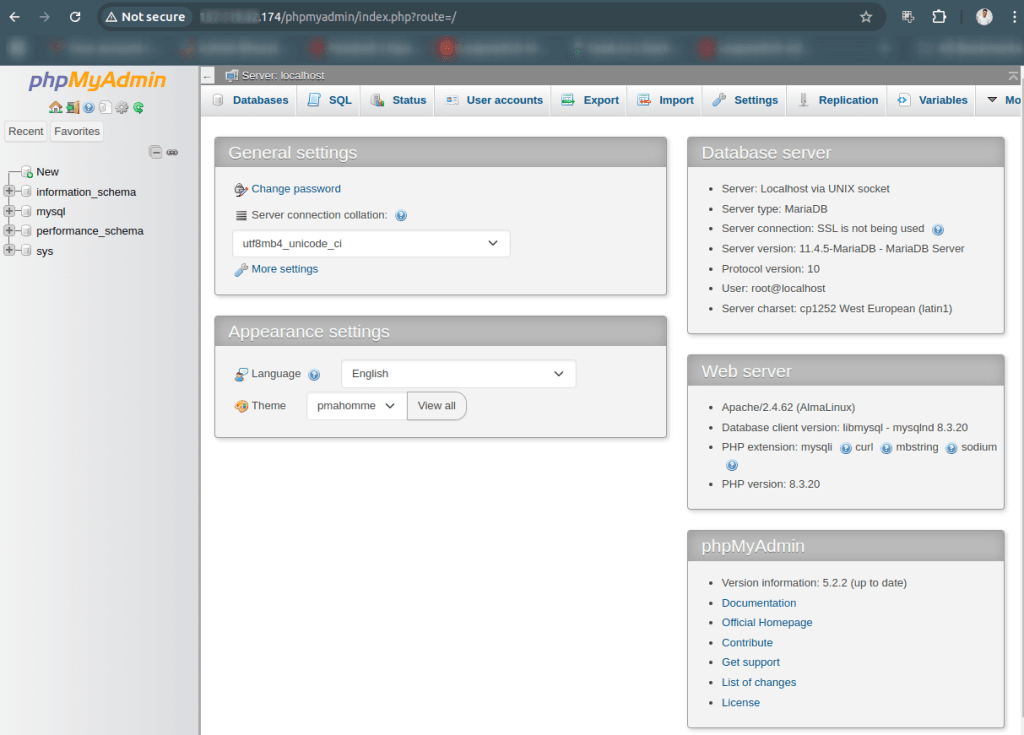
Login with your MariaDB root user and password.
Security Tips
- Run # sudo mysql_secure_installation
- Use a strong root password
- Restrict remote access to MariaDB
- Set up a firewall
- Consider installing a free SSL certificate with Let’s Encrypt
Database Security Best Practices
After securing MariaDB, it is recommended to apply the following best practices:
- Do not allow remote root login
- Create a separate database user for applications with limited privileges
- Bind MariaDB to a private IP if used with a separate DB server
- Restrict database access using Security Groups and OS firewall
Using a Separate Database Server (Recommended for Production)
For better security and scalability, it is recommended to run the database on a separate VM.
High-level steps:
- Install MariaDB on a separate VM
- Bind MariaDB to the private IP:
bind-address = <DB_PRIVATE_IP>
- Allow port 3306 only from the web server private IP in the CloudPe Security Group
- Update application database configuration to use the DB VM private IP
Multi-Server LAMP Architecture (Overview)
For production environments, a multi-server architecture is recommended:
- Web Server VM: Apache + PHP
- Database Server VM: MariaDB
Benefits:
- Improved security
- Better performance
- Easier scaling
- Reduced blast radius